MASS Workflow
MASS follows a practical process aligned with South African Municipal valuations, from source-data preparation through publication and final roll completion.
1. Build and validate the master file
At the start of each valuation cycle, PenSoft registers and seeds the master file (database). The Municipal Valuer is granted administrator access to manage additional system users and to distribute the MASSOnline and MASS-MasterOnline applications required for the full valuation process. A unique group is also created in the PenSoft cloud, with administration privileges assigned to the Municipal Valuer so that users within the organisation can be added as needed. The Municipal Valuer then proceeds with matching and consolidating deeds-office records, municipal records and manually created records into a workable master file export for municipalities.
Key workflow points:
- Automated matching where possible
- Manual linking support for unmatched records
- Controlled handling of records that require further investigation
- Repeatable delivery of master-file outputs for municipal accounting system review
2. Handle manually created and unmatched records
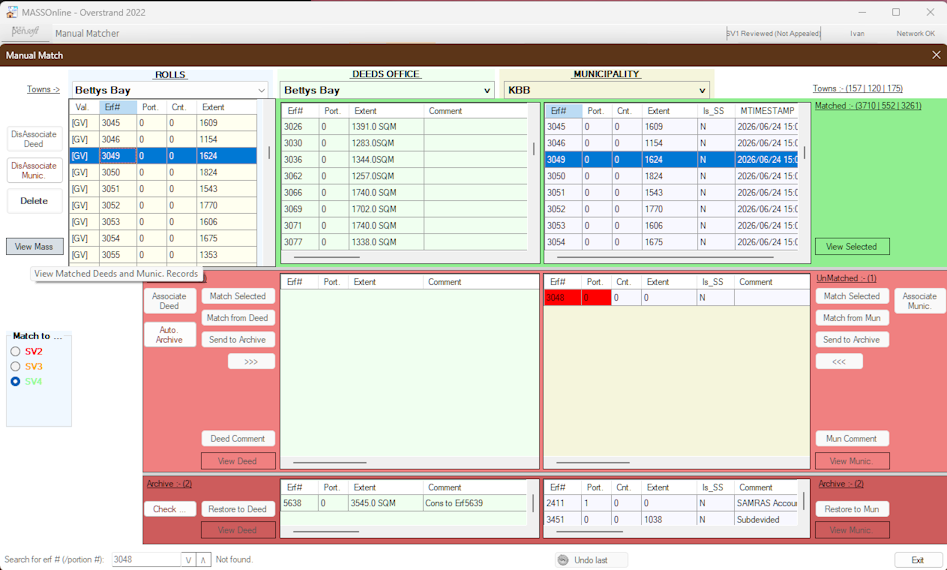
The Matcher processes allows for manually created records where source systems are incomplete or delayed, including development contexts and exceptional cases. Unmatched records are reviewed side-by-side to support controlled linking decisions.
3. Configure field forms and capture criteria
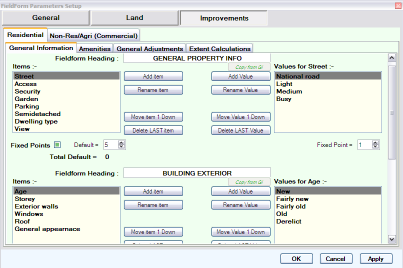
Municipal valuers define capture fields, allowed criteria and defaults before large-scale capture begins. This reduces inconsistent entry and improves capture speed.
4. Capture and model valuation data
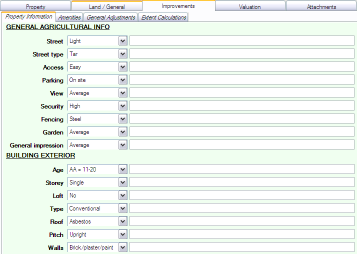
Valuation forms and criteria are configured by the valuation team, then used to capture property data in a controlled process.
5. Run valuation methods by property context
Residential, commercial, agricultural and specialised valuation methods can be applied according to property and market context.
6. Generate roll outputs and review packages
The platform prepares valuation roll outputs and related data exports for municipal review and publication milestones and final stages.
Provisional roll-data generation with various selectable criteria is also available to use as pre-checks before official publications.
7. Review, adjust and maintain traceability
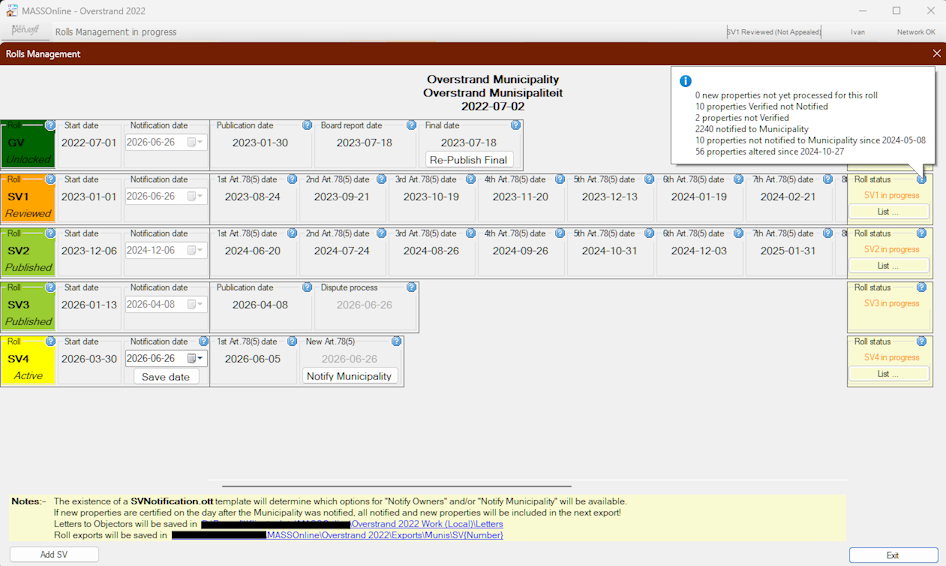
Updates after publication are tracked with audit history to support review cycles and final roll completion.
Operational controls include:
- Locking records to reduce uncontrolled edits after publication
- History records creation and lock before valuation adjustments after publication milestones
- Support for notification and motivation document storage and traceability
8. Finalise and hand over
After review and appeal stages, final roll artifacts and associated datasets are regenerated for Municipality use and archival requirements.